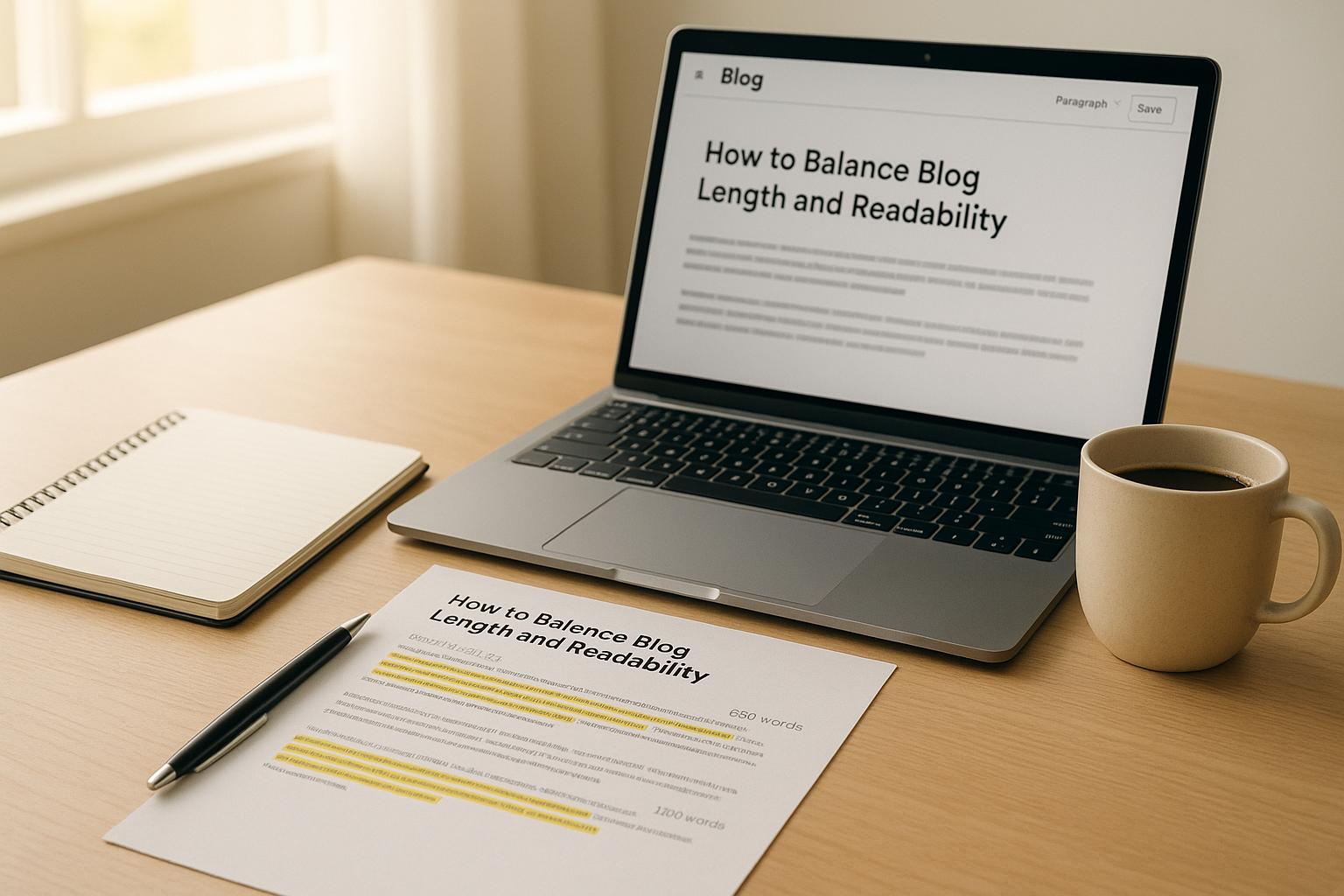
Balancing blog length and readability is about writing content that answers your readers' questions while keeping it easy to read and engaging. Here's what you need to know:
Longer blogs (1,500–2,500 words) perform well in search rankings but only if they’re well-structured and clear.
Shorter posts (300–900 words) work best for quick updates or straightforward answers.
Structure matters: Use headings, short paragraphs, and lists to make your content scannable.
Tools like Hemingway Editor and Yoast can help improve readability by identifying overly complex sentences or dense paragraphs.
Match the length to the topic complexity and your audience’s intent. For example:
Quick answers or tips: 600–900 words.
How-to guides or tutorials: 1,200–1,800 words.
In-depth guides or pillar posts: 2,500+ words.
For UK audiences, use British spelling, concise sentences (12–18 words), and clear formatting. Focus on delivering value upfront and structuring your content so readers can easily find what they’re looking for. Tools and analytics help refine your approach over time, ensuring your blogs stay engaging and effective.
How Long Should a Blog Post Be (It’s NOT 2,000+ Words)
How to Determine the Right Blog Length for Your Topic
Getting the word count right is all about balancing what your readers need and what search engines reward. A brief 500-word company announcement can't be treated the same as a detailed 2,200-word guide. Misjudging the length can lead to either unnecessary fluff or a lack of depth.
The good news? You don’t have to guess. By understanding your blog type, the complexity of your topic, and your audience’s intent, you can set a clear word count range that keeps your writing focused. This approach avoids unnecessary padding or missing key details, setting the stage for the strategies and tools outlined below.
Word Count Guidelines
Different types of content naturally fit into specific word-count ranges. Here’s a breakdown of the main categories:
Short updates and announcements (300–600 words): Perfect for sharing quick news, tips, or straightforward answers. For example, a post answering "What is bounce rate?" or announcing a new service works well in this range. These posts are concise and easy to read, especially for mobile users looking for immediate information.
Informational posts and how-tos (700–1,800 words): This range suits most blog content, such as listicles, tutorials, or explainer articles. For instance, a post like "5 ways to improve your website’s loading speed" might sit at around 1,200 words - enough to provide context without losing the reader’s attention.
Detailed guides and pillar content (1,800–2,500+ words): Ideal for in-depth topics that require comprehensive exploration. These could be ultimate guides, comparisons, or resources meant to rank highly and generate enquiries. Research shows that top-ranking articles often fall within this range. For example, data from Wix indicates their best-performing posts average around 2,450 words, particularly for tutorials and extensive guides.
Remember, the topic should dictate the length, not an arbitrary target. A concise 700-word post that answers a question thoroughly is far more effective than a repetitive 2,000-word piece.
Adjusting Length Based on Topic Complexity and User Intent
Not every topic requires the same depth. A straightforward question like "What is bounce rate?" can usually be covered in 600–1,000 words. Stretching such a topic further adds unnecessary filler and risks frustrating your readers.
On the other hand, a complex subject like "How to create a full content strategy for a B2B SaaS company" might need 2,000–3,000+ words. Topics like this often require definitions, frameworks, detailed steps, examples, and common pitfalls. Compressing such a topic into a shorter format would leave readers confused and unsatisfied.
User intent is another crucial factor. If someone is searching for a quick answer, such as "How much does SEO cost in the UK?", they’re looking for a concise, skimmable post - likely in the 300–900 word range. In contrast, a query like "How to build a complete SEO strategy" implies a need for deep research, making a 1,500–2,500+ word guide more appropriate.
Audience type also matters. B2B readers often expect longer, data-driven articles (2,000+ words), especially when making significant decisions. Meanwhile, B2C audiences generally prefer shorter, more digestible posts (around 1,000–1,500 words), unless the subject is particularly complex, like financial planning or health advice.
Before you start writing, it’s worth checking the top 3–5 ranking pages for your target keyword. Note their word counts - if most fall between 1,500–2,000 words, aim for a similar length, staying within 500–750 words of the competition. This ensures you cover the topic thoroughly without unnecessary padding.
Tools to Monitor Word Count and Readability
Keeping your word count in check helps ensure your content remains engaging and easy to read. Most writing tools, such as Google Docs, Microsoft Word, Notion, or CMS editors like WordPress, include live word-count features, making it simple to track as you go.
Reading time estimators, like WordPress’s reading-time blocks, can also help. Since most adults read at about 200–250 words per minute, a 1,500-word post typically takes 6–8 minutes to read - useful for aligning with audience expectations.
Readability tools, including Hemingway Editor, Grammarly, or Yoast’s readability analysis, are invaluable for fine-tuning your content. These tools flag issues like dense paragraphs, overly complex sentences, or excessive jargon, helping you refine your writing without losing important details. A better readability score often indicates your post strikes the right balance - clear, engaging, and not overly long.
For UK businesses, Skwigl Digital offers tailored word-count strategies based on local audience behaviour, industry standards, and competitor analysis. Whether your content is built on platforms like Framer, WordPress, or Shopify, they ensure posts are well-structured, easy to read, and aligned with SEO and conversion goals.
How to Structure Your Blog for Better Readability
Even the most insightful 2,000-word guide can fail if it looks like an overwhelming block of text. Studies reveal that the average reader only gets through 50–60% of a blog post and spends just 52 seconds on a post of around 1,416 words. This means structure is crucial - clear headings, short paragraphs, and visual breaks aren't just helpful; they're essential for keeping readers engaged.
The good news? You don’t need advanced design skills to make your content more readable. A few simple formatting tweaks can turn even the densest article into something much easier to navigate, whether it’s 800 or 2,500 words long.
Breaking Down Content with Headings and Short Paragraphs
Headings act as a roadmap for your readers. They should be descriptive and focused on benefits, clearly outlining what each section offers. Instead of generic labels like "Tips" or "Overview", opt for headings that answer specific questions your audience might have, such as "How to Format Headings for Mobile Readers" or "When to Use Bullet Points Instead of Paragraphs."
Use an H2 heading every few paragraphs to highlight major topic shifts, and break down related points within those sections using H3s. Keep headings under 70 characters so they’re easy to scan, especially on mobile devices. Stick to a logical hierarchy - each heading should introduce a new idea without repeating earlier points.
When it comes to paragraphs, brevity is key. Online, 2–4 sentence paragraphs work best, with each focusing on a single idea. Start with a clear topic sentence, follow up with one or two supporting sentences, and occasionally use a one-sentence paragraph to emphasise a key idea or create breathing room. This approach prevents the dreaded "wall of text" effect, especially on mobile screens where large blocks of text can feel overwhelming.
Sentence length also plays a role. Aim for 12–18 words per sentence. Mixing shorter and medium-length sentences creates a natural rhythm, while overly complex sentences with multiple clauses should be split into two for clarity. Smooth transitions between paragraphs help maintain flow. Phrases like "On the other hand…" or "To illustrate this point…" guide readers seamlessly through your argument.
Next, let’s explore how lists and visuals can further enhance clarity.
Using Lists and Visual Breaks
Lists are a straightforward way to make content more scannable. Use bullet points for related items like benefits, examples, or features, and numbered lists when order matters, such as step-by-step instructions or priorities.
For lists with three or more items, keep each point concise - one or two sentences max. Start with the most important word or phrase so readers can grasp the point quickly. Maintain consistent structure across all items; for example, if one starts with a verb, all should follow suit. However, don’t overuse lists, as too many can make the page feel cluttered.
Other visual elements can also improve readability. Images, diagrams, pull quotes, highlight boxes, and tables help break up the text and emphasise key ideas. These elements should always serve a purpose, such as clarifying a point or drawing attention to important information, rather than being purely decorative. For longer posts, aim to include a visual break every 300–400 words to keep readers engaged.
Screenshots and charts are particularly useful for explaining processes, data, or layouts. Pull quotes or call-out boxes can highlight essential tips or warnings, while tables are great for comparing options or summarising information. Make sure all images are optimised for fast loading and include descriptive alt text to improve accessibility and SEO.
White space plays a crucial role too. On desktop screens, aim for about 60–80 characters per line; wider text columns can be harder to read. Consistent styling for headings, quotes, lists, and call-outs helps readers quickly identify different content types as they skim.
For UK businesses, Skwigl Digital offers design templates that automate these readability practices. Whether you’re using WordPress, Framer, or Shopify, their templates ensure every article is structured for maximum engagement without the need for manual formatting.
With these tools in mind, let’s compare how different layout styles affect readability.
Comparison: Dense Long-Form vs. Fragmented Layouts
The choice between dense and fragmented layouts depends on your topic, audience, and the context in which readers will engage with your content.
Aspect | Dense Long-Form Layout | Fragmented Layout |
|---|---|---|
Structure | Long paragraphs, fewer subheadings, more narrative flow | Short sections, many subheadings, heavy use of lists and callouts |
Readability | Can feel immersive but risks "wall of text" fatigue, especially on mobile | Easy to skim; readers can quickly locate relevant information |
Engagement | Appeals to motivated readers but may lose casual visitors if it feels overwhelming | Better for mixed audiences; supports quick visits and selective reading |
SEO & UX | Depth can boost SEO when structured well, but poor scannability may hurt dwell time | Strong for UX and dwell time when content is well-organised; great for answering multiple related questions |
Best Use Cases | Essays, thought leadership, storytelling, or complex arguments | How-to guides, FAQs, checklists, comparison posts, product reviews |
Risks | High cognitive load; may deter readers early; harder to navigate | Can feel shallow or disjointed if overdone |
Dense long-form layouts work best for audiences seeking in-depth analysis, such as B2B professionals or specialists. They encourage immersive reading and can establish authority on complex topics. However, they can be intimidating at first glance, especially on mobile, and harder to navigate when readers are looking for quick answers.
Fragmented layouts, on the other hand, cater to time-pressed readers who want value fast. They’re more mobile-friendly, with shorter sections and frequent visual breaks that make scrolling easier. However, overusing these elements can make content feel scattered or superficial.
To decide on the best approach, consider your audience’s intent and context. If readers are making a complex decision, such as choosing business software, a more continuous narrative with occasional headings and lists might work better. For practical topics like "how to fix a WordPress error", a fragmented layout with frequent headings, lists, and call-outs is more effective.
Device usage is another factor. If most of your traffic comes from mobile, shorter sections and more visuals are a safer bet. Complex topics, however, may benefit from slightly longer paragraphs that allow ideas to develop fully. Testing different layouts - using metrics like time on page, scroll depth, and bounce rate - can help you understand what resonates with your audience.
Interestingly, 40% of people stay longer on pages with long-form content, but only if the article is well-structured and easy to skim. This proves that length alone doesn’t guarantee success. A well-organised 2,500-word guide will always outperform a poorly formatted 1,000-word post.
Using Readability Metrics to Improve Your Content
Even the best-structured content can fall flat if the language is too complicated. That’s where readability metrics come into play. These tools provide numerical scores that assess how easy your text is to understand, based on factors like sentence length, word length, and vocabulary complexity.
In the UK, most adults read comfortably at a secondary school level, roughly equivalent to Year 7–8. If your writing is pitched too high, readers are likely to skim or leave altogether, leading to higher bounce rates. The good news? Readability isn’t a guessing game. Tools exist to objectively measure how well your content matches your audience’s reading level, letting you make adjustments before hitting publish.
Understanding Readability Scores
There are several formulas for calculating readability, each with its own method, but they all provide a similar picture of text complexity.
Flesch Reading Ease: This scores text from 0–100, with higher numbers being easier to read. For UK blogs aimed at general audiences, a score of 60–70 hits the sweet spot for plain English that’s accessible to adults. A score of 70–80 is suitable for 11–13-year-olds, making it ideal for consumer-focused content.
Flesch–Kincaid Grade Level: This converts text complexity into a school year. A score of 7–9 aligns with UK Key Stage 3–4 readers, making it a good fit for business and marketing blogs.
Gunning Fog and SMOG: These also estimate school-year levels, focusing on sentence length and the percentage of complex words (typically those with three or more syllables).
For broad UK audiences, aim for a Flesch Reading Ease score of 60 or above or a Grade Level/Gunning Fog score of around 7–9. If you’re writing technical or B2B content, it’s fine to aim higher, but even expert readers appreciate clarity.
Several tools can help measure readability, including Microsoft Word, Hemingway Editor, Yoast SEO, and Rank Math. For example:
Microsoft Word: Displays Flesch Reading Ease and Flesch–Kincaid scores when you enable readability statistics in the proofing settings.
Hemingway Editor: Highlights hard-to-read sentences and complex phrases with colour coding, alongside an estimated reading grade.
Yoast SEO and Rank Math: Popular WordPress plugins that check readability alongside SEO factors like sentence length, passive voice, and subheading distribution.
The key is to use these tools throughout your writing process, not just as a final check. Start by deciding on a target reading level based on your audience - Flesch 65–75 works well for general UK consumer articles. While drafting, keep sentences short (under 20 words, mostly) and avoid dense blocks of text. Once your draft is ready, run a readability report to pinpoint areas for improvement, such as overly long sentences or jargon-heavy sections. Edit these areas and recheck your scores to ensure you’ve hit your target.
Now that you know how to measure readability, let’s explore how to simplify your sentences and cut through unnecessary jargon.
Simplifying Complex Sentences and Avoiding Jargon
Improving readability doesn’t mean “dumbing down” your content - it’s about being clear and direct. Use readability scores to guide you as you refine your sentences.
Limit each sentence to one main idea. If a sentence has multiple clauses joined by commas, conjunctions, or phrases like "which", split it into two or three shorter sentences.
Replace long, wordy introductions with concise leads. For example, write "To align your content with your goals" instead of "In order to ensure that your content strategy aligns with organisational objectives."
Use active voice whenever possible. It’s more direct and often shorter - "We analysed the data" is clearer than "The data was analysed."
Swap abstract nouns for action verbs. Instead of "We conducted a measurement of performance", say "We measured performance."
When technical terms are unavoidable, explain them in two steps: start with a plain-language summary, then add a succinct technical explanation. For instance: "A canonical tag tells search engines which version of a page is the main one. It’s an HTML link that signals the preferred URL." This keeps sentences readable while preserving accuracy, with an ideal length of 12–18 words per sentence.
Jargon needs careful handling. Identify terms your audience may not know, such as acronyms, industry-specific slang, or imported US phrases. For each, decide if it’s essential. If not, replace it with simpler language. If it is, define it on first use, like this: "CTR (click-through rate) is the percentage of people who click your link after seeing it." After that, you can use the abbreviation.
Avoid cramming multiple jargon terms into one sentence, and remember that UK readers may not be familiar with US-centric marketing language. When UK alternatives exist, choose them. If you’re unsure, read the paragraph out loud - if it sounds like corporate jargon rather than natural speech, it probably needs simplifying.
Here’s an example from a marketing blog. The original sentence reads: "In order to maximise organic visibility, organisations should consistently prioritise the development of long-form, keyword-dense assets that holistically address user intent while simultaneously facilitating internal linking opportunities." It’s long, abstract, and packed with jargon, making it hard to read.
A revised version: "To increase your visibility in Google, focus on detailed blog posts that clearly answer your readers’ questions. Use natural keywords and add links to other useful pages on your site." The meaning stays the same, but the sentence is shorter, the vocabulary is simpler, and the readability score improves significantly. Rewriting like this across an entire article can make your content more accessible to a general UK audience without losing depth.
Maintaining Consistency with UK English Conventions
In addition to readability, sticking to UK English conventions enhances clarity and trust. This means using British spelling, punctuation, and style throughout your content. For example, write "optimisation", "organise", and "colour" instead of US variants like "optimization", "organize", and "color". Use "metre" and "litre" for measurements, and format dates as day-month-year (e.g., 7 December 2025).
Other UK conventions include single quotation marks (in many style guides), writing "per cent" or "%" consistently, and choosing British terms like "holiday" instead of "vacation" or "estate agents" instead of "realtors". Switching between UK and US styles can confuse readers and undermine professionalism, especially in technical writing where punctuation and number formats differ.
For businesses targeting the UK market, sticking to UK English helps maintain a consistent voice and demonstrates attention to detail. This is especially important for agencies like Skwigl Digital that work with British clients, as consistency reinforces credibility.
Many tools default to US English, so you’ll need to adjust settings. In your word processor, select English (United Kingdom) to ensure spell-check and grammar suggestions follow UK rules. In tools like Grammarly, switch to "British English" for recommendations that prefer "optimise", "travelling", and "licence" (noun).
To ensure consistency, create a style guide that outlines acceptable spelling, punctuation, and terminology. Include examples of UK-specific terms and share it with anyone contributing to your content. When editing, do a final check for US/UK discrepancies, especially if you’ve used AI tools or US-based resources during research.
How to Build Readability into Your Content Creation Process
Readability isn’t something you can tack on at the end of writing - it needs to be woven into every stage of your content creation process. By integrating readability checks and length planning from the briefing stage all the way through to publication, you can make clear, engaging, and search-friendly content the standard rather than the exception.
The trick is to systematise readability. Instead of treating it as a final cosmetic edit, embed it into key stages like briefing, drafting, revising, and sign-off. When your team knows the target word range, readability standards, and formatting rules before they even start writing, you’ll save time on rewrites and focus on refining content that already works. Here’s how to make readability a natural part of your workflow.
Setting a Target Word Range and Editing for Clarity
Before you begin writing, define a target word range that fits your topic, audience, and search intent. For in-depth guides or how-to articles, 1,500–2,500 words often strike the right balance. Shorter pieces like quick tips, FAQs, or updates work well at 600–1,000 words.
To determine the ideal range, review top-ranking posts on similar topics and consider your audience’s preferences. For example, technical or B2B readers may accept more detailed posts (2,000+ words), while B2C audiences often favour shorter, visually engaging content (1,000–1,500 words). Use a range - like 1,400–1,800 words - as a flexible guide rather than a rigid rule. Ultimately, quality and how well the content addresses the reader’s needs matter more than hitting a specific word count.
Start by covering all your ideas in the draft, even if you exceed your target by 20–30%. Then, edit thoroughly to trim excess. Simplify sentences to 12–18 words, eliminate unnecessary or repetitive content, and cut wordy phrases like “due to the fact that” (replace with “because”) or “at this point in time” (use “now”). This approach - drafting freely and editing with precision - helps you maintain depth while keeping content concise and reader-friendly.
Adding Readability Practices to Your Workflow
To make readability a consistent part of your process, formalise it with a checklist. This ensures every piece of content meets high standards before publication. Your checklist might include:
A clearly defined target audience and intent in the brief
Word count that aligns with the topic (e.g., 1,000–2,000 for many business blogs)
A clear heading structure with descriptive H2s and H3s
Short paragraphs (under four sentences) and frequent subheadings
Lists to improve scannability, where appropriate
Simple explanations for any technical terms or jargon
Internal and external links that add context and value
A readability score that matches your audience’s reading level (e.g., UK Year 7–9)
UK spelling and conventions throughout
Use tools like Hemingway or Yoast to identify long sentences, passive voice, and overly complex phrasing during the editing stage. Many CMS platforms and SEO plug-ins also enforce formatting standards like mandatory H2s, meta descriptions, and internal links. By making these steps routine, you ensure readability becomes part of your team’s natural workflow.
Once your content is live, track its performance to refine your approach. Monitor metrics like average time on page, scroll depth, bounce rate, and conversion rate, and analyse how these vary by post length and topic. Break content into length brackets - e.g., under 800 words, 800–1,200 words, 1,200–2,000 words - and compare engagement levels to identify patterns. Use top-performing posts as templates for future content, focusing on their length, structure, and tone.
You can also experiment with updates. For instance, expand a short but promising post by adding FAQs, examples, or internal links, and measure its performance over the next few weeks. This data-driven approach helps you tailor your strategy to your audience and industry, rather than relying solely on general trends.
How Skwigl Digital Can Support Your Blog Strategy
Once you’ve fine-tuned your internal process, partnering with experts can take your blog strategy to the next level. Creating a readable, effective blog requires time, expertise, and consistency - especially if you’re juggling multiple contributors or lack an in-house content team. That’s where Skwigl Digital comes in.
Based in Sidcup, London, Skwigl Digital offers a range of services, including SEO-optimised articles, content writing, SEO strategies, and custom website design for platforms like Framer, WordPress, and Shopify. They specialise in making blogs both reader-friendly and technically optimised.
Skwigl Digital can help you create content templates and style guides that reflect UK English standards and readability practices, ensuring your team produces consistent, high-quality posts. They also provide ongoing analytics reviews to adjust word ranges and structures based on real engagement data, so your strategy evolves alongside your audience’s needs. By aligning your blog content with your overall digital marketing goals, they help boost search visibility, generate leads, and strengthen your brand.
For example, Skwigl Digital worked with Full Clarity, a UX/UI consultancy, to refine their content strategy and SEO, resulting in a 2.5× increase in impressions. Similarly, they helped TMID, a local interior designer, achieve a 3.5× increase in traffic through targeted content and SEO improvements. These case studies show how combining clear writing, thoughtful planning, and technical expertise can deliver measurable results.
Whether you need help developing a content workflow, auditing existing posts, or creating new articles that strike the right balance between clarity and depth, Skwigl Digital offers the expertise to make your blog strategy both effective and manageable. With transparent pricing, collaborative processes, and a focus on user-friendly solutions, they’re well-equipped to help UK businesses create blogs that engage readers and perform well in search.
Conclusion
When it comes to balancing blog length and readability, the focus shouldn’t be on hitting an exact word count. Instead, aim to create content that thoroughly answers your reader's query while staying clear, engaging, and easy to skim. While longer posts (1,500–2,500 words) often perform better in search rankings, their success depends on maintaining clarity and organisation. A well-structured 1,200-word article that nails the reader's intent can easily outshine a sprawling 3,000-word piece that meanders off-topic.
Different types of content call for different approaches. Short updates or FAQs can be effective at 600–900 words, whereas in-depth how-to guides often require 2,000+ words to cover a topic comprehensively. On average, top-ranking posts tend to hover around 1,447 words, while detailed tutorials often perform best at approximately 2,450 words. The key is ensuring every section contributes real value to the reader.
Formatting plays a huge role in both reader engagement and SEO success. Breaking up content with short paragraphs, descriptive headings, and concise sentences (ideally 12–18 words) makes it easier for readers to scan and absorb the information. Given that most readers only consume about 50–60% of a blog post, a clear and logical structure ensures your key points land effectively.
For UK audiences, it’s important to localise your content. Use British spelling (e.g., "optimisation" instead of "optimization"), format dates as 7 December 2025, and display currency as £1,200. These small adjustments enhance the reader’s experience and make your content feel more relevant and professional.
To improve your content strategy, set a target word range for each post type, outline your structure before writing, and edit thoroughly for clarity. Readability tools can help identify overly complex sentences, while performance metrics like time on page, scroll depth, and conversions can guide ongoing refinements.
If you’re looking for expert support, Skwigl Digital in Sidcup, London, offers SEO-focused content writing, web design, and digital marketing services tailored to platforms like Framer, WordPress, and Shopify. They can help you develop content templates that integrate UK English standards and readability best practices seamlessly into your workflow.
Improving blog length and clarity is a continuous effort. Even small tweaks - like tightening your introductions, improving headings, or fleshing out thin sections - can make a noticeable difference in engagement and rankings over time. Treat each new post as an opportunity to experiment and refine, using insights from your UK audience to fine-tune your approach. By applying these strategies, you’ll consistently enhance your content’s performance.
FAQs
What is the ideal blog length to engage readers and improve SEO?
Finding the ideal blog length depends largely on who you're writing for and the topic you're covering. Generally, 800–1,500 words strikes a good balance between offering enough depth and keeping it readable. Shorter pieces, around 500 words, are perfect for quick updates or announcements. On the other hand, if you're creating detailed guides or aiming to boost SEO, longer posts of 2,000 words or more tend to perform better.
The key is to prioritise quality over sheer word count. Make sure your content is clear, well-organised, and easy to navigate. Use headings, bullet points, and short paragraphs to break up the text and make it more skimmable. Ultimately, your goal is to keep your audience interested while delivering valuable insights.
What tools can I use to improve my blog's readability?
Improving your blog's readability is a key step in keeping your audience engaged and enhancing your SEO performance. Tools like Hemingway Editor and Grammarly are great for simplifying sentences, correcting grammar, and ensuring your writing is easy to follow. If you're using WordPress, plugins like Yoast SEO can offer helpful feedback on sentence length, passive voice, and overall clarity, all from an SEO perspective.
You might also find readability calculators, such as the Flesch-Kincaid Readability Test, useful for assessing how accessible your writing is. These tools provide a readability score, helping you fine-tune your content to appeal to a wide range of readers while keeping your message clear and engaging.
How can I structure my blog posts to make them engaging and optimise them for SEO?
To craft blog posts that captivate readers and perform well in search engines, focus on creating a clear and organised structure. Break your content into sections using headings and subheadings, making it easier for readers to navigate. Short paragraphs and the occasional use of bullet points can also enhance readability.
Make sure to weave relevant keywords naturally into your writing without overdoing it. Your primary goal should be to address your audience's needs and provide genuine value. By prioritising your readers while keeping SEO principles in mind, you can strike the right balance between engaging content and improved search engine visibility.