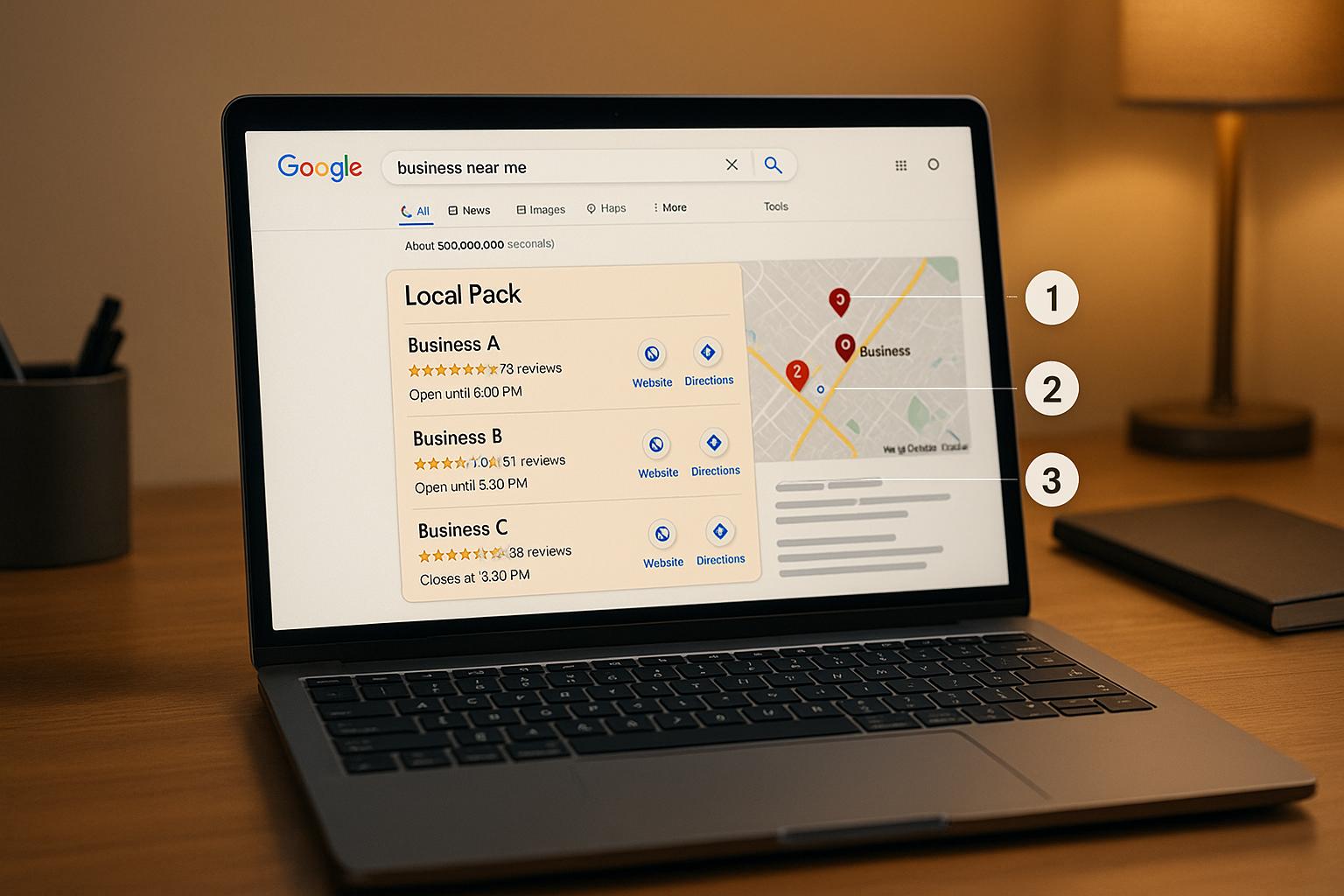
Want to dominate Google’s Local Pack? Here’s the deal: nearly 70% of local search clicks go to businesses in the Local Pack. If you’re not there, you’re losing potential customers to competitors. Tracking their rankings helps you understand where they stand, what’s working for them, and how you can improve your visibility.
Here’s a quick breakdown of what you need to know:
What’s the Local Pack?
It’s the top three Google Map listings that appear for local search queries. These listings are highly visible and include business details like ratings and contact information.
Why track competitors?
Spot opportunities to improve your own rankings.
Learn which keywords and locations competitors dominate.
Stay ahead of algorithm changes and local market trends.
Steps to start tracking:
Optimise your Google Business Profile (GBP): Verify your profile, use consistent contact details, and encourage reviews.
Choose competitors and keywords: Focus on businesses offering similar services and use keywords customers actually search for.
Map your service area: Monitor rankings across multiple locations, as results can vary by postcode.
Use tracking tools:
Platforms like
BrightLocal, Local Falcon, and Whitespark can help you monitor rankings, analyse trends, and track competitors. Choose a tool based on your budget and needs.
Turn data into action:
Improve your GBP based on competitor insights.
Address gaps in reviews, categories, or services.
Report spam listings or guideline violations.
Key takeaway: Regularly monitor your competitors, refine your strategy based on insights, and keep your GBP updated to secure a spot in the Local Pack. Start small, track 10–15 keywords and 3–5 competitors, and use tools to simplify the process.
How I Use the Local Falcon Competitor Report for Local SEO Audits
Preparation: Setting Up for Competitor Tracking
Before jumping into competitor analysis, it’s crucial to establish a strong foundation for your local search presence. Without this groundwork, any insights you gain about competitors might not be actionable if your business isn’t in a position to compete effectively.
This preparation phase involves three key steps, each building on the other to create a solid framework for understanding your local search landscape. Let’s break it down.
Verify Your Google Business Profile
Your Google Business Profile (GBP) is the cornerstone of your local search presence. Ensuring your profile is verified and optimised is essential for boosting visibility and building trust with both Google and potential customers.
Verification matters. It confirms to Google that you’re a legitimate business, unlocking features like responding to reviews, posting updates, and accessing insights on how customers find you. Typically, verification is done through a postcard with a code, but some businesses may qualify for quicker phone or email verification. Be cautious during this process - changing your business name, address, or category could invalidate the code and force you to start over.
A complete and consistent profile makes a big difference. Businesses with verified profiles are twice as likely to earn customer trust and 70% more likely to attract foot traffic. Consistency in your Name, Address, and Phone number (NAP) across all platforms is critical - 80% of consumers distrust businesses with inconsistent contact details. Use the same business name, address format, and phone number everywhere, from your website to social media and directory listings.
To optimise further, include high-quality photos. Adding photos to your GBP can lead to 42% more direction requests and 35% more clicks to your website. Businesses with over 100 photos see staggering results, including 520% more calls, 2,717% more direction requests, and 1,065% more website clicks compared to the average.
Don’t overlook reviews. With 94% of consumers avoiding businesses after reading negative feedback and 45% more likely to visit businesses that respond to such reviews, your response strategy is crucial. Customers expect engagement - 89% want businesses to reply to reviews, making this a key part of staying competitive.
Choose Competitors and Keywords to Track
Choosing the right competitors and keywords is about strategy, not guesswork. Focus on businesses offering similar services in your area - these are your direct competitors and the ones most likely to appear alongside you in Local Pack results.
When selecting keywords, think like a customer. Avoid industry jargon and focus on terms people actually use. For example, a plumber might track phrases like "emergency plumber", "boiler repair", or "bathroom installation" instead of technical terms like "hydronic heating systems."
Consider the intent behind different keywords. Some, like "emergency locksmith near me", show an immediate need, while others, like "best accountants in Manchester", suggest research. Both are valuable but require different strategies.
Geographic modifiers are also important. Monitor variations like "web design Sidcup" and "Sidcup website design" to capture different search patterns. Keep in mind that 84% of Business Profile views come from discovery searches (searching for services) rather than direct searches for specific business names.
Don’t forget about seasonality. Competitors can shift depending on the time of year. For instance, a landscaping business might face different rivals for "garden maintenance" in spring versus "leaf clearance" in autumn. Keep these patterns in mind when building your tracking list.
Map Your Service Area
Understanding the geography of your service area is vital for effective competitor tracking. Local Pack results can vary significantly based on the searcher’s location, so you need to monitor multiple areas where your potential customers might search.
Start by mapping out your primary service areas, where most of your business comes from, and secondary areas, where you occasionally serve customers. For service-based businesses, this might mean tracking within a 15–20 km radius, while a restaurant might focus on a smaller 5-kilometre area.
Search behaviour varies by location. Urban customers often use more specific terms and expect faster service, while rural customers may search more broadly and be more price-sensitive. These differences influence which competitors show up and how they position themselves.
For the most accurate insights, use postcode-level tracking. Rankings can change dramatically between neighbouring postcodes, especially in densely populated areas. For example, a café in central Manchester might dominate searches in one postcode but barely appear in another just a few streets away.
Keep in mind physical and administrative boundaries. Major roads, railways, and borough limits can affect customer behaviour. For instance, people on one side of a busy road may not consider businesses on the other side, even if they’re geographically closer.
Finally, consider the mobile-first nature of local search. With 76% of smartphone users visiting businesses within 24 hours of searching, understanding commuter routes, foot traffic, and popular destinations in your area can help you anticipate where and when potential customers are searching.
Local Pack Monitoring Tools
Now that you’ve got your foundation set and competitors identified, it’s time to pick the right tools to track your Local Pack performance. The world of local SEO tools has grown a lot over the years, offering everything from all-in-one platforms to highly specialised geo-tracking solutions. Knowing what’s out there will help you choose a tool that fits your needs - and your budget. Below, we’ll dive into some of the top tools and compare their features so you can find the best fit for your local SEO strategy.
Available Tracking Tools
There are plenty of tools out there for tracking Local Pack rankings, each with its own strengths. BrightLocal, for instance, offers a Local Rank Tracker that monitors Local Pack, organic, and map listings. On top of that, it provides 18 months of Google Business Profile (GBP) insights - three times more than Google itself offers. Plus, it integrates citation management and review monitoring, making it a go-to for comprehensive local SEO.
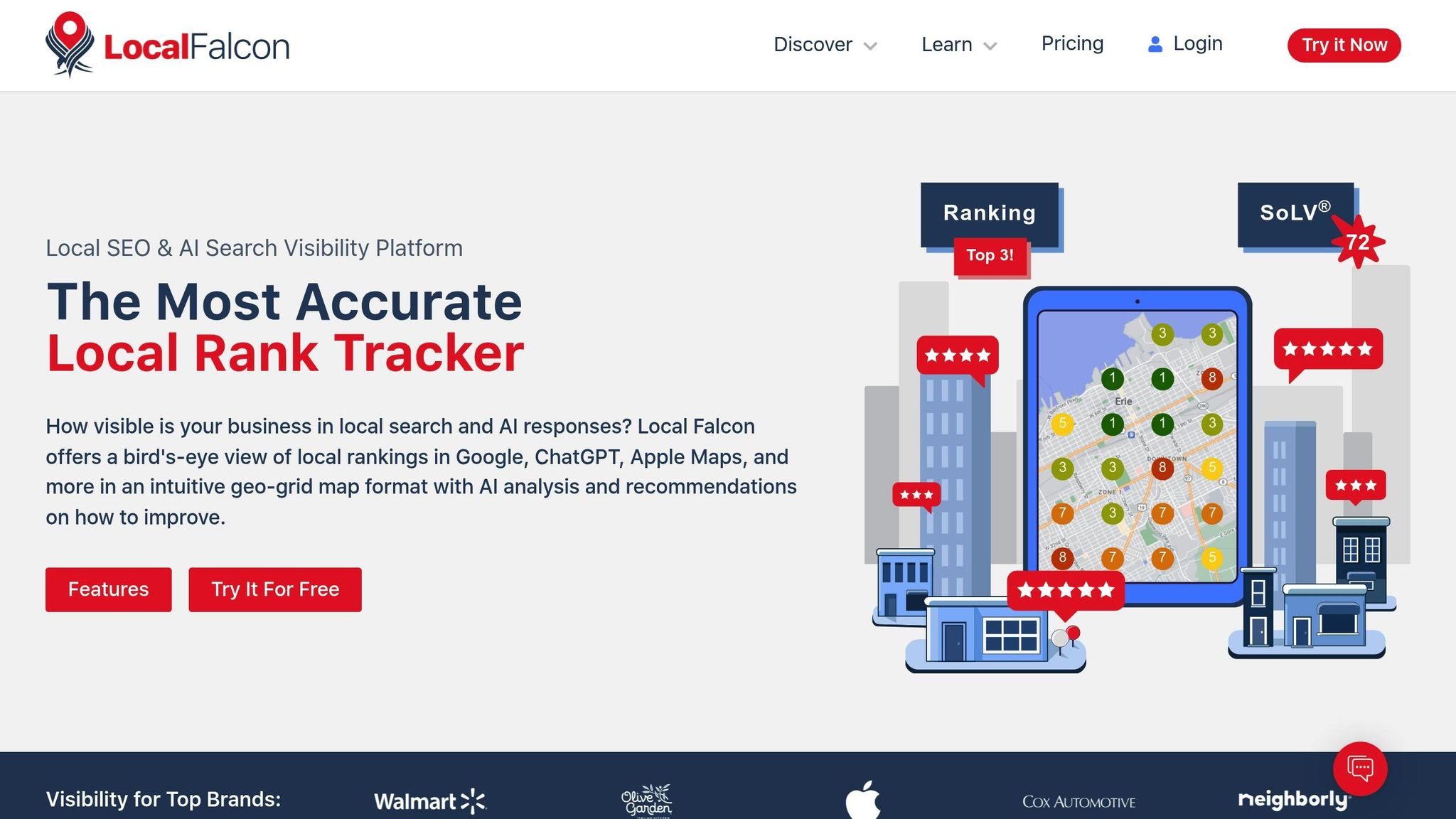
Local Falcon takes a different approach with geo-grid tracking, which gives you a visual breakdown of how rankings vary across specific service areas. This is particularly useful for understanding those small geographic differences that can have a big impact on visibility.
Whitespark provides a suite of tools for rank tracking, citation finding, reputation management, and GBP optimisation. Its modular pricing means you only pay for the features you need, but costs can add up if you combine multiple tools.
Semrush Local is part of the larger Semrush platform and includes a Map Rank Tracker for hyper-local Google Maps rankings, along with listing and review management. This makes it a solid choice for agencies managing both local and broader SEO campaigns.
Moz Local focuses on keeping your business listings accurate and in sync across platforms. It also offers centralised review monitoring, with a particular emphasis on removing duplicate listings. It’s available to businesses in the US, UK, and Canada.
Local Viking is another standout, specialising in advanced GBP management and GeoGrid rank tracking. It’s especially useful for agencies and businesses with multiple locations.
For those who want AI-driven insights, Localo offers tools to track local rankings and manage GBP, delivering actionable recommendations.
Search Atlas combines a full-stack SEO platform with a Local SEO Dashboard. It includes heatmaps, Google-native rank data, and automated reputation management, making it an excellent option for businesses with complex SEO needs.
Lastly, Yext is aimed at enterprise-level users, automating business listing management across over 200 platforms. Users have reported impressive results, such as a 97% increase in 5-star reviews and a 57% reduction in the time it takes to respond to reviews.
Tool Comparison Chart
Choosing the right tool comes down to your goals, budget, and how much technical expertise you have. Here’s a quick comparison of some of the leading options:
Tool | Starting Price | Key Strengths | Best For | Geographic Coverage |
|---|---|---|---|---|
BrightLocal | £39/month (Track plan) | Comprehensive local SEO suite, white-label reporting, 18-month GBP insights | Small to medium businesses, agencies | Global |
Local Falcon | £24.99/month (7,500 credits) | Geo-grid tracking, visual heatmaps, Share of Local Voice metrics | Hyper-local analysis, service area businesses | Global |
Whitespark | £14-200/month (modular pricing) | Flexible modular tools, strong citation capabilities | Businesses needing specific features | Global |
Semrush Local | £65/month (add-on required) | Broad SEO platform integration, versatile toolkit | Existing Semrush users, full-service agencies | Global |
Moz Local | Pricing varies | Automated listing sync, duplicate removal, data accuracy | Multi-location businesses | US, UK, Canada |
Search Atlas | Custom pricing | Google-native data, heatmaps, full-stack platform | Enterprise users, advanced SEO needs | Global |
For example, Local Falcon’s credit-based system becomes more economical with annual plans. Their Starter plan is £299.88 annually for 90,000 credits, compared to £24.99 monthly. BrightLocal also offers a tiered approach, starting at £39/month for basic tracking and scaling up to £59/month for the Grow plan. They even provide custom solutions for businesses with more than 50 locations.
If you’re new to local SEO monitoring, BrightLocal’s Track plan or Local Falcon’s Starter package are excellent entry points. Remember, success with these tools isn’t about having all the features - it’s about using them consistently. In fact, 94% of top-performing businesses rely on local SEO tools.
One tip: think about how often you need to scan rankings. Once you’ve identified patterns, you don’t need to scan every keyword daily. Monthly deep scans combined with weekly checks for key terms can give you the insights you need without burning through credits.
How to Track Competitor Rankings: Step-by-Step Process
Accurate competitor tracking starts with setting up your tools properly and maintaining a consistent monitoring routine. Follow these steps to ensure you gather meaningful insights to refine your local SEO strategy.
Set Up Your Tracking Tool
Begin by creating a project or campaign in your tracking tool. Enter your business name, address, and phone number exactly as they appear online. Even small inconsistencies can lead to inaccurate results.
Next, add your competitors. Use the exact business names and addresses you identified during your research. Start with three to five key competitors to keep the process manageable.
When selecting keywords, prioritise terms that reflect your core services. For example, if you're a plumber in Manchester, you might begin with phrases like "emergency plumber Manchester", "boiler repair Manchester", and "bathroom installation Manchester". Starting with 10–15 keywords ensures a focused approach without overwhelming yourself.
Adjust the tool’s geographic settings to match your service areas. Once everything is configured, run a test scan using a keyword you know your business ranks for. This step confirms that the tool is set up correctly before you start tracking competitors.
With your tool ready to go, the next step is to establish a regular monitoring routine.
Schedule Regular Monitoring and Reports
Consistent monitoring is key to identifying trends and changes over time. Set up automated weekly and monthly scans to track Local Pack rankings and gather enough data without exhausting your tool’s resources.
Configure your reports to focus on essential metrics like ranking positions, visibility scores, and competitor comparisons. Automate the process so reports are emailed directly to relevant team members, such as the business owner or the local SEO manager.
If your business is affected by seasonal trends, adjust your monitoring frequency accordingly. For instance, a garden centre might increase monitoring during the busy spring months (March–May) when competition spikes, and scale back during quieter periods.
Finally, enable alerts for significant ranking shifts. Many tools can notify you if your business or a competitor moves by more than three positions, allowing you to react quickly to changes in the Local Pack rankings.
Once you’ve gathered sufficient data, focus on interpreting it to refine your strategy.
Read and Understand the Data
Instead of getting caught up in daily fluctuations, focus on identifying broader trends in your data.
Geo-grid results can highlight how your rankings vary across different parts of your service area. For example, you might rank first for "accountant" searches in the city centre but drop to fourth in nearby suburban areas. These patterns often indicate where your customer reviews or citations are strongest - and where they need improvement.
Metrics like Share of Local Voice provide a snapshot of your overall visibility in the Local Pack. A steady decline in this metric could indicate that competitors are gaining traction, even if your individual keyword rankings appear stable.
Heatmaps are another powerful tool, offering visual insights that go beyond raw numbers. For instance, consistent underperformance in certain areas might suggest strong competitor activity, signalling where you should focus your local SEO efforts.
Pay attention to competitor movements as well. If a rival suddenly improves their rankings across multiple keywords, they may have launched a citation campaign or received a wave of positive reviews. Observing these shifts can give you ideas for refining your own approach.
Lastly, track how updates to your Google Business Profile correlate with ranking changes. Businesses that regularly update their profiles, respond to reviews promptly, and refresh their photos often maintain more stable Local Pack positions.
Use these insights to fine-tune your local SEO strategy and keep ahead of the competition.
Using Local Pack Data to Improve Your Rankings
Turn competitor tracking data into actionable steps to boost your local SEO. By analysing competitor trends, you can make smarter decisions to improve your visibility in the Local Pack. These insights can help you identify competitor strengths and areas where you can improve.
Identify Competitor Patterns and Gaps
Start by digging into the Google Business Profile listings of your top competitors. Look for similarities in how they’ve optimised their profiles, such as business descriptions, highlighted services, and contact details.
Pay extra attention to the primary and secondary categories that frequently show up among top-ranking competitors for your target keywords. For instance, if a specific secondary category appears often, it’s likely important for local searches in your industry.
Also, compare the average number of reviews and overall ratings across competitor profiles. This can reveal patterns of trust and engagement in your market.
Use these findings to refine your own approach.
Adjust Your Local SEO Approach
Take what you’ve learned from competitors and apply it to improve your Local Pack strategy. Update your Google Business Profile based on competitor insights. For example, if competitors are using specific keywords or showcasing certain services, integrate similar terms while highlighting what makes your business stand out.
Step up your review management game. Actively encourage customers to leave feedback to match or exceed competitor engagement levels.
Focus on the categories that are most common among top-performing profiles. Add relevant secondary categories and ensure your business attributes are accurately listed to increase your chances of appearing in local searches.
Report Problem Listings
Keep an eye on your competitors for any violations of Google’s guidelines that could give them an unfair edge. Common issues include fake reviews, incorrect categories, or misleading business information.
If you find valid violations, report them through Google’s official channels. Addressing these issues not only promotes fair competition but could also improve your own rankings as Google resolves the problems.
Make sure to document any reports you submit and track the outcomes. This helps demonstrate your commitment to ethical local SEO practices and keeps a record of your efforts to maintain a level playing field.
Conclusion: Improve Your Local Pack Performance
Tracking competitor rankings in the Local Pack isn't just about gathering data - it’s about using that data to make smarter decisions. With the Google Map Pack drawing nearly 70% of clicks for local searches, being visible here can significantly influence your business's success.
Key Takeaways
Stay consistent with monitoring: Use automated weekly or fortnightly scans to keep up with the ever-changing local rankings landscape. This ensures you can quickly respond to any shifts and seize opportunities.
Leverage heatmaps and dashboards: These tools help you pinpoint geographic weak spots, so you can focus your efforts on areas that need improvement.
Analyse competitors: By studying your competitors, you can uncover which keywords and locations they dominate. Look at how they optimise their Google Business Profile, collect reviews, and create content, then adapt your strategy to close the gap.
Refine and optimise: Use your findings to improve your Google Business Profile, address underperforming keywords, and strengthen your reputation management efforts. These steps can directly enhance your Local Pack visibility.
Practical Next Steps
Ready to take action? Start with the basics: verify and optimise your Google Business Profile to lay a strong foundation for Local Pack success. Then, choose a tracking tool that aligns with your budget and needs - options typically range from around £15 to £130 per month.
Identify your key competitors and the local search terms most relevant to your services. It’s a good idea to focus on monitoring about 10–20 core keywords and 3–5 direct competitors. Conduct an initial geo-grid scan of your service area and establish a routine for regular monitoring. For businesses with multiple locations, use location groups to streamline the process.
Don’t overlook spam listings or incorrect business names that could be affecting your visibility - address these issues promptly. Regularly fine-tune your strategy based on the insights you gather to keep improving your Local Pack performance.
If you don’t have the in-house expertise to handle this, consider working with specialists like Skwigl Digital. They can help you interpret your tracking data and implement strategies as part of a broader digital marketing plan.
FAQs
How can I optimise my Google Business Profile to improve visibility in the Local Pack?
To make your Google Business Profile (GBP) stand out in the Local Pack, start by ensuring your business details - like your name, address, and phone number (NAP) - are accurate and consistently updated. It’s also crucial to verify your profile and keep it fresh with current opening hours, a list of services, and high-quality images that attract potential customers.
Select the most appropriate business categories for your profile and encourage happy customers to leave positive reviews. Reviews play a big role in boosting your local ranking. By following these steps, you’ll help Google understand your business better, increasing your chances of being featured prominently in the Local Pack.
What are the best tools for tracking competitor rankings in the Local Pack, and how do they compare?
Tracking competitor rankings in the Local Pack becomes much simpler with tools like Local Falcon, BrightLocal, and SEMrush. Each of these tools brings something different to the table, catering to various aspects of local SEO.
Local Falcon is particularly useful for precise local rank analysis. If you're looking to monitor rankings across specific geographic areas, this tool is a great choice. Meanwhile, BrightLocal shines when it comes to local SEO tasks like citation management, helping businesses improve their visibility in local search results.
For those who need a more comprehensive approach, SEMrush offers a wide range of SEO insights, including local rankings. It’s a versatile option if you're after an all-in-one platform to manage broader SEO strategies alongside local tracking.
The main takeaway? Each tool has its strength - whether it’s detailed geographic tracking or an all-encompassing SEO toolkit. Leveraging these tools effectively can give you a competitive edge, helping you fine-tune your business's online visibility.
How do location differences impact Local Pack rankings, and how can I boost my visibility in multiple areas?
Local Pack rankings are largely determined by how close a business is to the person conducting the search. In simple terms, businesses that are physically nearer to the searcher are more likely to rank higher in the results. To boost your visibility in different areas, focus on creating hyperlocal content that speaks directly to individual neighbourhoods. Make sure your Google Business Profile is fully optimised for each location, and work on building local citations in the specific regions you’re targeting.
On top of that, tools like geo-grid rank trackers can give you insights into how your business ranks in various locations. These insights can help you fine-tune your local SEO strategy. When you combine these tactics, you’ll strengthen your presence across multiple areas and connect with a wider audience.